 YouTube Deep Summary
 Extract content that makes a tangible impact on your life
📚 Chapter Summaries (13)
🤖 AI-Generated Summary:
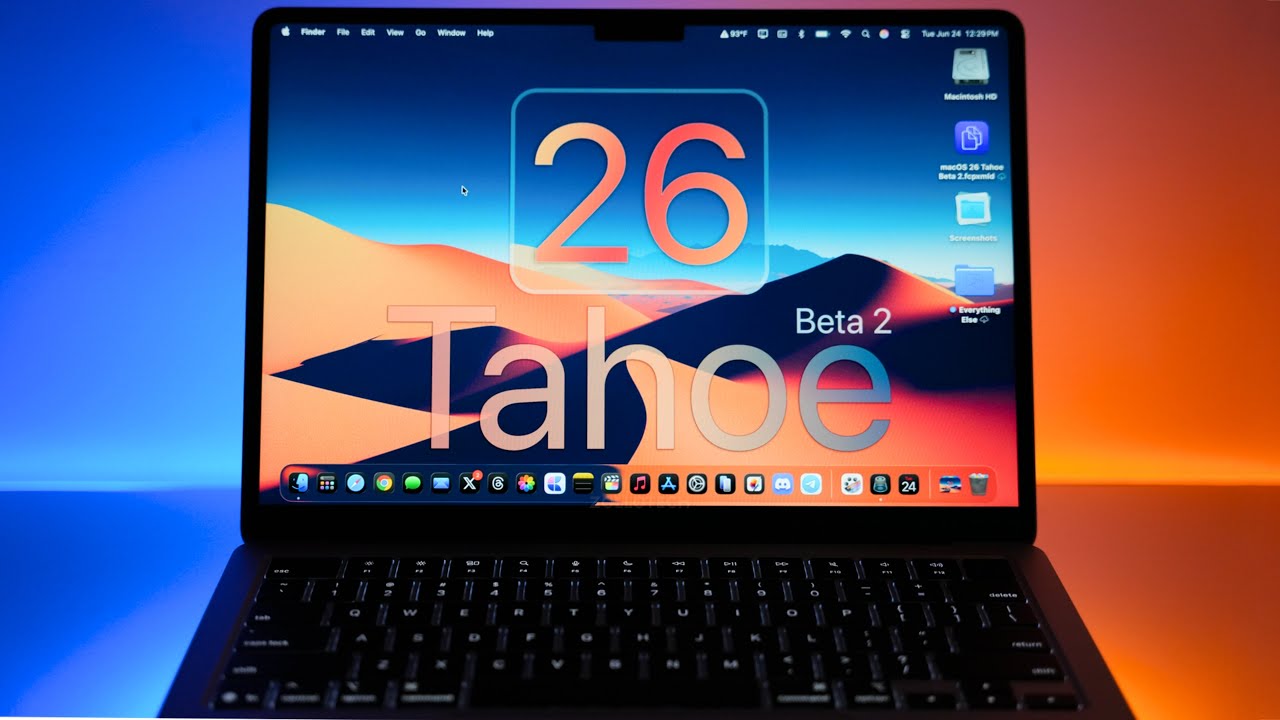
Exploring macOS Tahoe 26 Beta 2: What’s New and Should You Upgrade?
Apple recently released macOS Tahoe 26 Beta 2, bringing developers and early testers a host of visual tweaks, performance improvements, and bug fixes. Here’s a detailed overview of what’s new, how it performs, and whether you should consider installing it on your Mac.
Overview of macOS Tahoe 26 Beta 2
The update weighs in at around 4.13 GB on the M4 MacBook Air and was rolled out alongside several other Apple OS updates including iOS 26 Beta 2, iPadOS 26 Beta 2, tvOS, HomePod OS, and Vision OS 26 Beta 2. The public beta for macOS Tahoe 26 is expected to launch in early July.
The build number for this beta is 25A5295e, and it already feels considerably smoother and more refined compared to Beta 1.
Visual and UI Enhancements
-
More Rounded Menus: Apple has subtly increased the curvature of menus across the system, including Safari and Finder, giving the interface a softer, more modern look.
-
Reduced Liquid Glass Effect: The translucent “liquid glass” effect has been toned down, similar to changes seen in iOS. Translucency remains but is less prominent, especially noticeable in the Control Center and the Music app’s bottom bar.
-
Updated Icons: Several system icons have been refreshed:
- Finder icon reverted to having the light part of the face on the right side.
- New icons for apps like Final Cut Pro (now aligned with liquid glass aesthetics), Migration Assistant, and the color picker.
-
System icons adapt dynamically with light and dark modes.
-
Menu Bar Border Option: A new toggle allows users to enable or disable a border around the menu bar background, providing more customization of the menu bar’s appearance.
-
Folder Visuals: Folder gradients have been slightly updated, and folder colors with icons applied retain their visual integrity.
Performance and Stability
After about a day of testing, macOS Tahoe 26 Beta 2 feels significantly more fluid and responsive. Key observations include:
- Smooth Animations: Transitions, such as opening the Dock or switching between apps, are much smoother compared to Beta 1.
- Reduced Crashes: No crashes were observed during the testing period.
- Improved Dock Magnification: The magnification effect on the Dock works reliably now.
- Battery Life: On an M4 MacBook Air, battery life appears stable with only about 10% drain over a week in standby mode. However, as an early beta, battery performance may still vary.
Bug Fixes and Known Issues
Apple addressed some critical bugs, including:
- Mac Virtual Display with Vision Pro: Now functioning smoothly and quickly.
- Finder Issues: Fixed the problem where Finder did not display dark mode app icons or tinted folder colors correctly when automatic folder color was enabled.
- Mail App Animations: More fluid swipe animations when managing emails.
The release notes include hundreds of fixes and improvements, but some known issues remain. Users are encouraged to check Apple’s public release notes and report any new bugs through the Feedback Assistant app.
Should You Install macOS Tahoe 26 Beta 2?
For production Macs: It’s best to avoid installing this beta on your primary device since it’s still an early developer release and may contain unstable features.
For secondary or testing devices: If you have an extra Mac or one that isn’t critical for daily work, this beta offers a glimpse into upcoming macOS enhancements and is relatively stable for a beta.
The public beta is expected soon, likely in early July, and will be accessible through beta.apple.com, where you can sign up to try all the latest Apple betas when available.
What’s Next?
Following Apple’s usual beta cadence, macOS Tahoe 26 Beta 3 is anticipated around July 7th, possibly alongside iOS 26 Beta 3. If all goes smoothly, the public beta launch could also happen that week.
Other OS betas, like macOS 15.6 and iOS 18.6, are expected to continue rolling out through July with staggered release dates.
Final Thoughts
macOS Tahoe 26 Beta 2 brings thoughtful design refinements, smoother animations, and important bug fixes that enhance the overall user experience. While not yet ready for everyday use on production machines, it’s a promising step forward as Apple prepares for the full public release.
If you’re eager to explore the new wallpaper featured in this beta or want to stay updated on macOS 26 developments, keep an eye on official Apple channels and tech communities.
Have you tried macOS Tahoe 26 Beta 2? Share your experiences and any new discoveries in the comments below!
This post is based on a detailed hands-on review by Aaron from Zolotete.
Subscribe for more Apple updates and tech insights!
📝 Transcript Chapters (13 chapters):
- • Everything New - 0:00
- • Size and Apple Releases - 0:13
- • Build Number - 0:31
- • New Features, Updates and Changes - 1:02
- • Menu Bar - 3:13
- • More Changes - 3:36
- • Bugs and Bug Fixes - 4:22
- • Performance - 5:33
- • Battery Life - 6:18
- • Should You Install macOS 26 Tahoe Beta 2? - 6:49
- • macOS 26 Tahoe Beta 3 Release - 7:28
- • macOS 15.6 Beta 2 Release - 7:58
- • Conclusion - 8:17
📝 No Transcript Available
Click the "Extract Transcript" button above to download the transcript for this video.