 YouTube Deep Summary
 Extract content that makes a tangible impact on your life
📝 Transcript (485 entries):
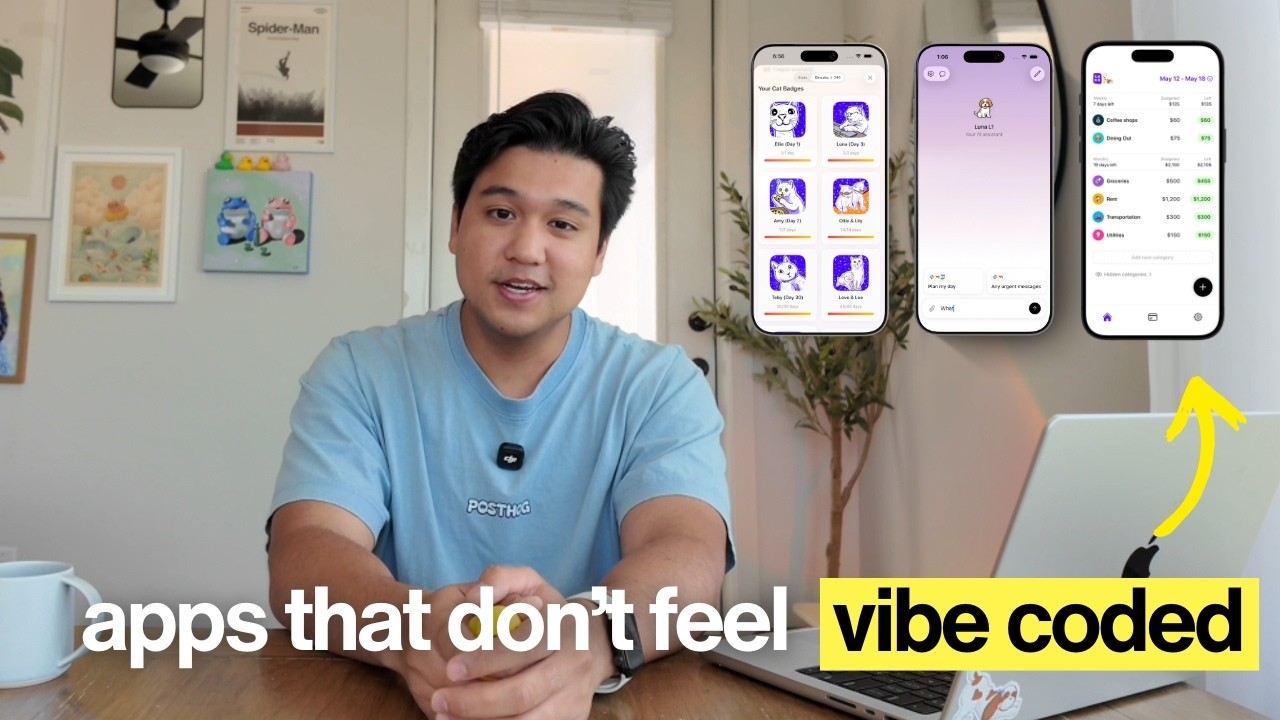
The number one question I've been getting is how do I make my apps feel so good to use? If you're new here, welcome to the video. My name is Chris and I build productivity apps. I've been doing this for years and I'm finally making the video that you guys have been asking for, which is everything I do to make my apps feel premium. We're going to go through practical examples in my own apps that you can apply today. Let's hop right into it. The first thing that I do that genuinely makes a pretty big difference is animations. Now, instead of talking about this abstractly, let me show you a real example of something I just shipped so you can see that there are levels to animations. I was working on a new feature for Amy and quick context, Amy is a calorie tracking app in the style of Apple Notes. You type the food that you ate on the left and the calories magically appear on the right. The problem with letting users input whatever they want is the text can get pretty long. It gets kind of cluttered so I shipped a feature where it'll summarize long entries for you. I asked Claude Code to build it and it did actually pull it off. Like it technically works, but watch closely.
[music] If you look closely, the text just changes instantly. There's like no feedback at all. And if you blink and you missed it, you'll have no idea that the app actually did something.
Technically, the feature is working. It is summarizing the entries, but the user can't feel that it's working. And that's a problem. So that's level one, there's no feedback, there's no animation, the user just has to guess what happened. A pretty junior developer would stop right there and just ship it as is. But someone one level up would see this and say, "Okay, we need to add some feedback." So let's just add a toast. A toast is a little pop-up that's going to appear and say something like the meal was summarized. That way the user knows something happened. It does get the job done and I think it's okay to ship as is, but we can [music] do better. So the next level is to add some animation to
convey that the change happened. So I asked Claude Code, "Can you make an animation?" And after a bit, it did add an animation to show the change. Now, this does get the job done, but I thought to myself, "Can I do better here?" And so the next step up [music] is to take this animation and refine it.
This is what I landed on for the animation. We have this beautiful purple-orange gradient that conveys that something automated or AI or magic ended up happening. I'm not going to lie to you and say that I was able to prompt this in like one or two prompts. This took some serious work. Like I think it took 6 hours of prompting. And the reason it took 6 hours is I tested and scrapped a lot of different concepts before landing on this. Even on the colors alone, I probably tested like 30 plus colors just to land on this purple orange gradient. Now technically on paper across the four variations we have, the feature is exactly the same, at least on paper. Obviously whether you're using a toast or no animation or this beautiful purple orange gradient animation, the feature feels completely different. The difference between these two animations is the effort that I put into it. One took one prompt and then the other one took 50 plus prompts and probably like 6 [music] hours. And it might not seem like it, but users can tell the difference in effort. If you want to build the skill of what makes an animation good, my favorite resource is Mobbin. They literally have an animation section where you can study good animations and slow them down so you can kind of study [music] frame by frame.
And that's how you train your eye to figure out what good looks like. This video is not sponsored by Mobbin, but I do have a code in the description that gets you a discount on their yearly plan if you want to check them out. The key takeaway here is not all features are created equal and not all animations are created equal. There are levels to this.
Next thing I focus on to make my apps feel premium is illustrations. Now I want to be very upfront about something. Illustrations used to be my secret weapon to making my [music] apps stand out. And then ChatGPT image came out and now every single app has illustrations.
So just having illustrations is not enough. You can check that box, but your app is still going to feel vibe coded. [music] So now when I build an app and I add illustrations, I ask myself, "How can I do this better? How can I make sure that my illustration stand out among other apps?" Let me show you what I mean. This is the onboarding for my calorie tracking app Amy. People keep messaging me about this onboarding saying this is one of the best onboarding that they've seen. I think someone actually signed up twice just to go through the onboarding. Now think about that for a second. Is there an onboarding flow you actually enjoyed going through? [music] Probably not. So for someone to compliment mine, I was clearly doing something right. And I think it all came down to these really great playful illustrations. Now here's the exact same onboarding if I took a one-shotted GPT image and just [music] replaced it in the onboarding. It's the same exact onboarding on paper, but it just feels different. [music] One feels premium and then one feels like every other onboarding that was shipped this year. The difference is my wife Cecilia actually hand drew these illustrations in Procreate. But more importantly, we spent a lot of time iterating and trying to find the illustration style. [music] And the bar we were holding ourselves to was we wanted someone to say when they saw these illustrations, "How did they possibly prompt that?" Or even better, questioning whether this was AI-generated at all. Now if you can't work with an artist and you're generating with AI, here's the secret to getting really good illustrations.
[music] It's that one or two prompts is not enough. Because if you can get this result in one or two prompts, that means everybody else can, too. And that's why certain illustrations feel very generic because they've been overdone by like every single [music] app. In my experience, the best illustrations I've come up with have come after like 30-plus prompts and a ton of iteration.
[music] This involves taking multiple styles, mixing them together, matching them up, trying to get creative with it. One thing I like to do is look at random sites like this is a random Midjourney Sref reference thing. I won't explain what that is, but basically it has a bunch of different illustration [music] styles on this website, and I love going on here for inspiration. But again, you don't want to go here and just blindly copy and paste a style. What you want to do is just get inspiration. You want to mix and match styles. You want to try to figure out how to make it your own. I think a great example of a company that does this is Duolingo. Could ChatGPT generate an asset that looks like mascot? Yeah, it definitely could, but there's a lot of subtle intention behind the designs that even though it does look like some AI-generated assets, it does feel very unique. It does feel like Duolingo. It doesn't feel like this was made in one or two prompts, and that should be the target for you. [music] If you look at the onboarding, another thing that's going on here is that all of the illustrations are animated. Now in my case, Cecilia also hand animated these in Procreate. But if you can't do that, here is a hack that most people don't know about. You can actually use Midjourney to animate [music] images, and that's my favorite way to do animations. All you have to do is throw a static image into Midjourney, hit loop, and then tell it what kind of animation you want, and it's going to give [music] you four variants. And you can keep repeating this process and remixing until you get something you like. For example, I threw the Amy mascot in here, looped it, and now I have this really cool animation of Amy moving. But again, similar to the animations, the takeaway here with the illustrations is you have to put in [music] effort. You need prompting a lot, remixing, and trying to make your own style that stands out. Now real quick, because there is a theme here, 30-plus prompts on the illustrations, 6 hours working on some simple animations.
Whatever you're polishing, you're going to be iterating a lot. And the best way I found to do this is to have a conversation with your agent. I dictate everything, and the tool I recommend for this is WhisperFlow, and a huge shout-out to them for sponsoring this video. WhisperFlow is smart voice-to-text that works in any app. So when I'm iterating on illustrations, I'm literally talking to ChatGPT and asking it, "Can you modify the image so it's a little bit more minimal? I don't like how the edges of the illustration look." Probably doesn't seem that annoying to type this out, but try doing that 30 times in a row. It does get pretty old.
Dictating is just so much better. Now another reason I recommend WhisperFlow is it's perfect for developers because it understands technical terminology. So when I say something like, "Use state, convex schema, webhook handler," >> [music] >> it gets it right every time. And if you're using Cursor or Windsurf, it works with these IDEs. So it understands what's going on in the code you're looking at, and it can even tag files.
Check this out, if I say, >> [music] >> "Please enhance the styles from subscription overview.tsx," it'll actually tag the file without me touching the keyboard. It's available on desktop, so you can use it inside of Cursor, Claude Code, or ChatGPT like I do. And it's on iOS and Android as well.
I'll leave a link in the description, and there's a code for 1 month free, and that's on top of the existing 14 days of WhisperFlow Pro you get when you sign up. They did not have to provide that.
I'm the one that asked for that. So a huge thank you to them for doing that. Okay, now back to the illustrations because I do have one more recommendations. And unfortunately, it's something that a lot of you guys are not going to like hearing. If you really want to stand out and have an edge, it's to work with an actual artist. [music] Now before you say, "Okay, well that's
easy for you to say. Your wife is a designer." Just know that even before working with Cecilia, I had already commissioned graphic designers in the past. And I will still continue doing that, especially if there's a specific art style that I don't think she's suited for. It's actually way more affordable than you think. And I've gotten really good graphics commissioned for like a few hundred dollars. Now there are two reasons why I think it's worth it. The first is that your odds of getting something truly unique are exponentially higher when you work with a human rather than when you just prompt it. Now you can absolutely escape the default AI generated look if you use enough prompts. Or you can work with an artist and know for a [music] fact that it's original. Now the second reason, and it's something that I think people massively underestimate, is that the story itself of how you build your app also contributes to making it feel premium. The moment people find out that your illustrations were hand-drawn by an artist, the entire app instantly feels different. Even if AI could replicate the asset. I mean, think about watches.
90% of people cannot tell the difference between a hundred-dollar watch and a thirty-thousand-dollar watch. But the people who can tell the difference care about one thing, and it's craftsmanship.
Somebody spent hundreds of hours handcrafting that thing. At that point, it no longer becomes a watch. It really becomes a story or an experience. And I genuinely think this is where software is heading in a world where AI can just generate a million apps. Knowing the story behind the app and that a human is the one that actually crafted some of the assets is actually going to start mattering to people. If you're on a budget, here is a hybrid workflow. What I would do is commission an artist to make a base style or mascot. And again, you could get this done for like a few hundred dollars. And then use [music] AI to create derivatives or variants from it. This is actually what I did for my unreleased app Lily. I had Cecilia hand-draw the asset of the mascot. And then I created a bunch of derivatives using chat GPT. [music] You get the best of both worlds where you get an original commissioned piece from an artist where there's a really good story, but you also have an affordable way to just make a bunch of variants. Okay, so far we've covered animations and illustrations, but craft is not just UI. [music] Craft and taste goes way beyond visual, so let me show you two examples of what I mean by that. My calorie tracking app Amy has a feature where you can take photos of food, and then it'll calculate the calories [music] from that. In the first version I shipped, you tap a button, and then the default iOS camera is going to appear for you to take [music] the photo, which is totally fine. It was like that for months. Nobody had a problem with it. One thing I'm always doing is looking for inspiration and studying other apps, and then one day I came across this [music] in my timeline.
It's that chat GPT shipped a new inline camera feature. So, instead of using the default iOS camera, when you click the camera button in their app, it's going to have this inline camera experience pop up. It is just such a good experience. The second I saw this, I was like, I have to try to recreate this and see if I can bring this into Amy. So, I spent a few hours reverse engineering the animation, trying to figure out why does it feel so good and smooth, and how [music] do I keep it performant, and I ended up actually shipping it. Now, 99% of users are not going to notice this change at all. But, after you've used it like five or 10 times, you kind of start [music] noticing when it's absent in other apps. So, if they use any of my competitors and they click the camera button, and then they just see the default iOS camera appear, they're probably going to think to themselves, why does this just feel a little bit different than Amy's? Unless they're really perceptive, they probably can't name exactly what the difference is, but I guarantee that [music] they can feel it. Also, I want to point out, as you probably noticed, I did not ship this on day one. Version one was the default iOS camera experience, and then I came back months later and then tried elevating the experience. [music] And that's actually a tip on its own. You don't have to build a premium version in version one. You can layer this over time. Now, the second example of craft I want to show you guys is an invisible one. It's where there's no UI at all.
Amy has a dictation feature, so you can click a button and then just start dictating what you ate, and then it's just going to apply it as an entry. And it works great. For 90% of the entries, it's just going to get it. But I did notice there was an edge case when there's a restaurant that's really [music] tough to say. There's a Korean restaurant in Dallas called Saemaul, and my app was not getting it. So, I made a quick change to hopefully improve this where when you use dictation, Amy is in the background going to get the 30 closest restaurants and add it as context. So, it has a higher shot of getting the name if you dictate it. So, if I'm at the restaurant and I dictate and say Korean barbecue from Saemaul, it actually is going to get it right. It seems like such a small deal, but it's going to be one of those things where when the app gets it, the user is 100% going to say, "Wow, I can't believe it got that." I absolutely love adding features or enhancements like this that pleasantly surprise users. That's another way to stand out and feel premium. Also just wanted to say that this location-based feature is completely opt-in. You have to turn it on in the settings just before anyone calls me out on that. But let's zoom out because you probably notice a pattern by this point. Every single example in this video started the exact same way. It was with something already working, and then I just asked myself, "How can I make this better? How can I elevate this?" And to be honest, that's the biggest thing that I'm doing when building apps, and I think that's the secret. Is I'm constantly trying to push myself. And I think one of the biggest positive benefits of AI coding is that a lot of the basics are basically taken care of.
So, now I and you can focus on all of the small details. That's where we can be pouring our energy into. When you spend 6 hours on an animation or 30-plus prompts on an illustration or hours studying trying to reverse-engineer a very simple-looking camera animation, you do it enough times, you start seeing patterns, you get better at experimenting, you start developing better techniques, [music] you start building taste. And a lot of people way smarter than me are saying that taste is going to be the defining skill for the next era, and I really believe that's
true. If you're going to take anything from this video, here are three things. Number one is to always ask yourself, "Can I make this better?" It's important to remember that AI's first output is the starting line. It is not the finish line. Number two, it's that unique and good take iteration. Whether that's iterating with a 100 plus prompts or working with a human artist. And number three, it's that premium is felt more than seen. [music] Some of the best craft is completely invisible or just will go unnoticed by 99% of [music] users. I'll leave a link in the description to a couple more videos where I talk about craft including a conversation with Greg Eisenberg where I talk about some of the techniques like fonts and illustrations. And also if you like this content, check out my Instagram and TikTok. I post almost every other day about building productivity apps. I drop a lot of short form content on how to build premium app experiences. And obviously if you like it, don't forget to subscribe. But thank you guys so much for watching and I will see you guys in the next video.
>> [music]